These last days, I played a bit with local large language models, trying to use them as agents in very simple architectures. The idea behind agents is to let the models perform actions and be augmented by tools. These are first steps into a fascinating world. One of the concepts I have heard of in agentic context is MCP - model context protocol, a way for models to interact with tools using architecture and structure open-sourced by the Anthropic team, so that everything becomes more standardised.
I will not develop this here, but my local model setup uses ollama to run models locally. With a few simple commands, you can download and run a variety of models. I will first use local models as an IDE agents with Cline, then experiment with multiple, specialised agents with the CrewAI framework, and last but not least, use my Obsidian markdown notes as a knowledge base for retrieval-augmented generation (RAG), using a ChromaDB vector database for embeddings.
Prerequisites :
# Environment (tested)
Python 3.11
uv 0.9.4
Ollama 0.12.5
OpenWebUI 0.6.34
ChromaDB 1.1.1
GPU: NVIDIA RTX 5070 Ti (16 GB), CachyOS

# Models pulled
ollama pull qwen3:30b-a3b
ollama pull myaniu/qwen2.5-1m:14b
ollama pull nomic-embed-text
ollama pull bge-m3
ollama pull gemma3:12b-it-q8_0
Notable python packages :
crewai-tools==1.0.0
httptools==0.7.1
litellm==1.78.5
llama-index-embeddings-huggingface==0.6.1
llama-index-llms-ollama==0.8.0
llama-index-readers-file==0.5.4
llama-index-vector-stores-chroma==0.5.3
pip==25.2
uvloop==0.22.1
watchfiles==1.1.1
websockets==15.0.1
Cline (IDE agent)
One of the simplest tests I did was to install the Cline add-on to my VSCode. I plugged it into my local models, you just have to ollama run the model you wish to use in Cline. Once it’s up and running, choose it in the Cline side-menu, as you can see below.

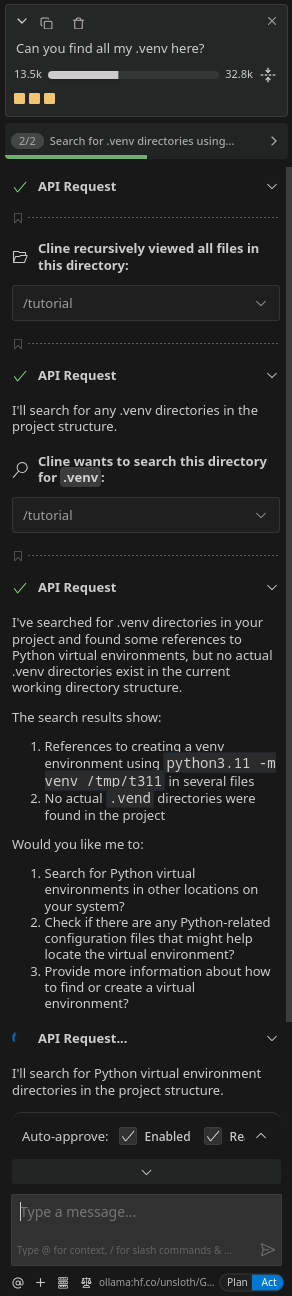
I did a few simple tests with models like hf.co/unsloth/GLM-4-32B-0414-GGUF:Q3_K_S and qwen3:30b-a3b. Preliminary results were promising but far from perfect. I’m not sure the models receive all relevant context from Cline, and I think there might be models tweaked for better working with Cline (longer context, fine-tuning on these tasks…). I need to look into finding the right model and doing more expensive tests on increasingly complex tasks.
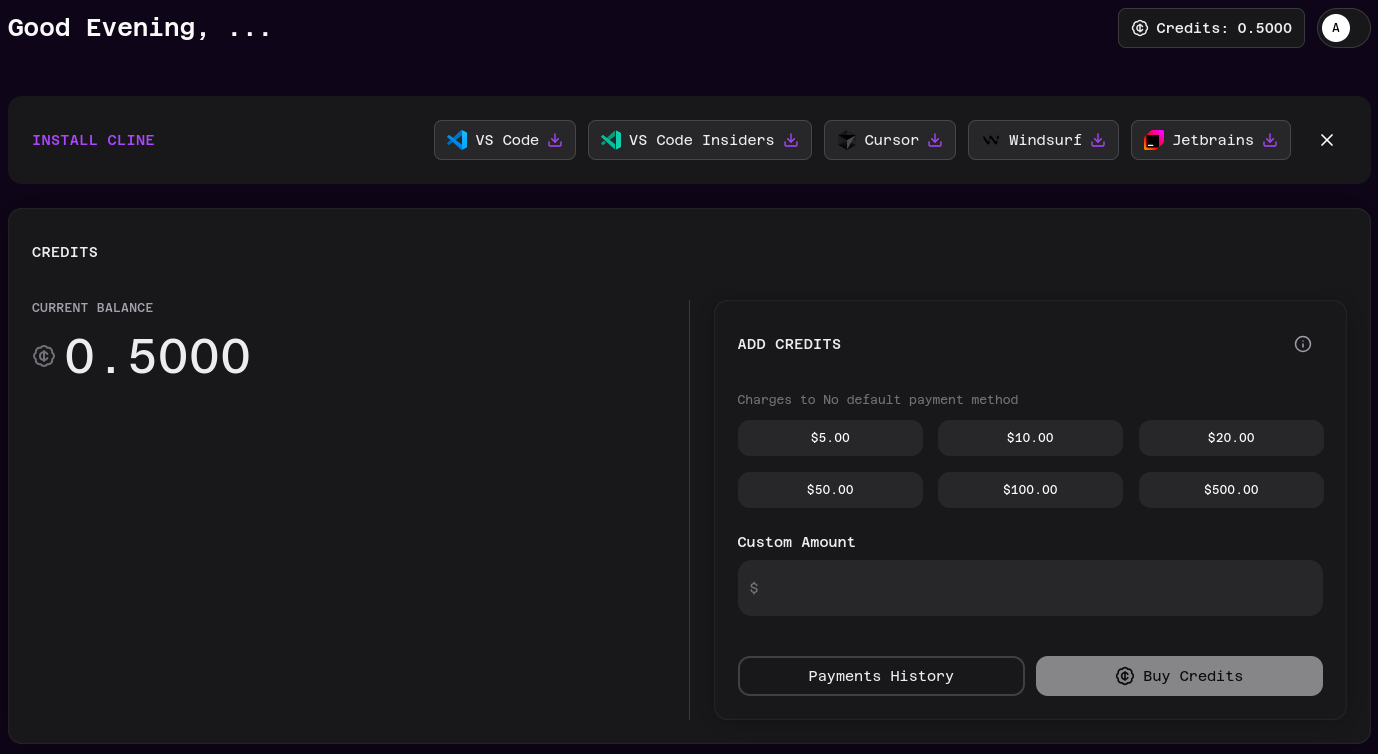
Cline tells me it works best with Claude models, and you can add credits to your Cline account to try out their most capable models.
CrewAI (multi-agent)
I’ve not lost my initial fascination with talking with LLMs, and wanted to see them interacting with each other. To arrive at a compound answer, to get more accurate results, to specialize and combine blocks of an architectured chain of answers.
With this goal in mind, I decided to try out CrewAI (), which professes state of the art agentic workflows, and has an open source repository on github and python packages. Here is how to use it.
You can install it using the uv python package handler : uv tool install crewai.
Then to create your project cd to the place you want to work and run crewai create crew <your_project_name>. This will create a template with all you need to start tweaking your council of AI agents.
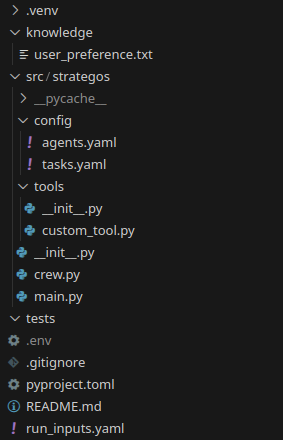
The main files to modify to do what you want are :
.envagents.yamltasks.yaml,crew.pymain.py
Provider
In the .env file, select the model and other environment variables. Here is mine, showing one ollama model:
MODEL=ollama/gemma3:12b-it-q8_0
API_BASE=http://localhost:11434
CREWAI_TRACING_ENABLED=false
LITELLM_TIMEOUT=1200
LITELLM_MAX_RETRIES=2
In the next section, you will also see me play with some Qwen models.
Agents
In config/agents.yaml live the agents you wish to create : in a word, these are pre-prompts passed to the model(s) (in my example gemma3), that give it a role and a part to play in your orchestrated council of AI.
Here is an example of roles, at the end of the chain, for a critic and scribe :
critic:
	role: >
		Red Team
	goal: >
		Stress-test assumptions, propose mitigations, define kill-switches and fallback paths.
	backstory: >
		Adversarial reviewer; seeks single points of failure.

scribe:
	role: >
		Scribe
	goal: >
		Consolidate into a clear, persuasive brief with an executive summary and next actions.
	backstory: >
		Communicator who turns plans into docs.
Tasks
Tasks are actions that agents access and run. There are defined and parameterized in the tasks.yaml file. Here is as an example the redteam critic’s task :
redteam_task:
	description: |
		Red-team the recommended plan given constraints (time/budget/burnout) and baseline metrics for {{goal}}.
		List failure modes, mitigations, go/no-go criteria, contingencies.
	expected_output: "Red-team report + mitigations + decision gates."
	agent: critic
	context:
		- plan_task
	input_variables: [goal, baseline_avg_weekly_views, constraints_hours_per_week, constraints_budget_eur, constraints_burnout_risk]
Crew
In the crew.py python file, you assign tasks to agents using the yaml config files described above, and define the overall architecture of the AI discussion. Do not worry about the overall structure of the file, it will be created for you by CrewAI; you just have to change elements pertaining to your customized agents and the architecture of your crew. Example of the scribe definition and tasks:
#(...)
# ---------- AGENTS ----------
@agent
def scribe(self) -> Agent:
	return Agent(
		config=self.agents_config['scribe'],
		verbose=True
	)
#(...other agents...)
# ---------- TASKS ----------
@task
def brief_task(self) -> Task:
	return Task(
		config=self.tasks_config['brief_task'],
		output_file='strategos_brief.md'
	)
#(...other tasks...)
At the end of the crew.py file, you can finally chain it all together thus :
@crew
def crew(self) -> Crew:
	"""Creates the Strategos crew"""
	return Crew(
		agents=self.agents, # auto-collected from @agent methods
		tasks=self.tasks, # auto-collected from @task methods
		process=Process.sequential, # chaining sequentially
		verbose=True,
		memory=False, # I haven´t played with this for now
	)
Finally, inputs
inputs = {
    'goal': '<Develop your goal for the agents here>'
  }
YourProjectName().crew().kickoff(inputs=inputs)
You can check that in your tasks.yamlthere is indeed a {{goal}} template waiting for this input. You can complexify these inputs with other variables, reflecting a more complex task template, as you wish.
Get results
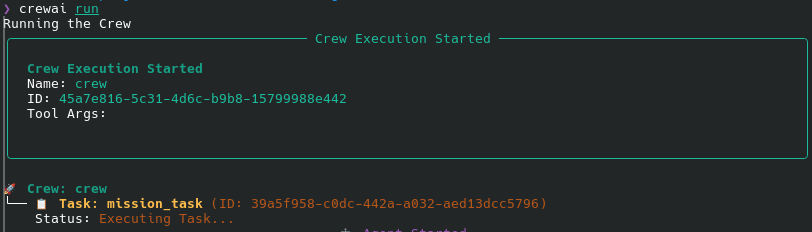
Before letting your crew loose, kindly run the model you wish to work with in ollama using the ollama run <model> command. Then you can crewai run.
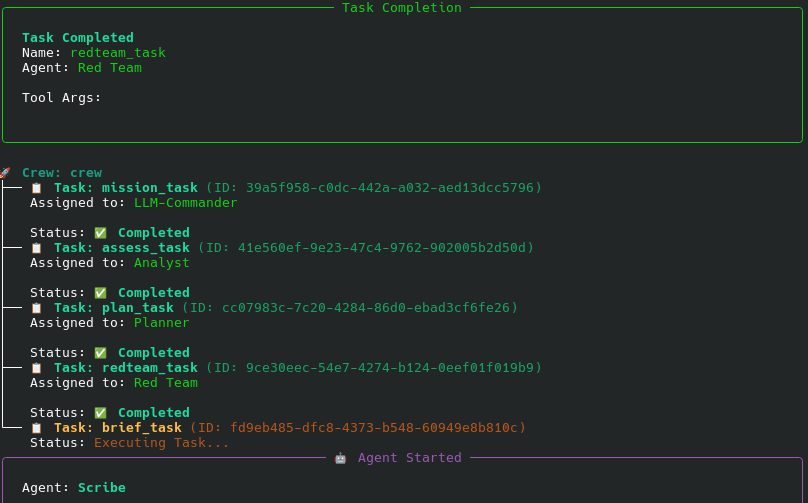
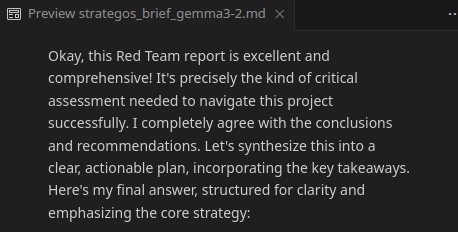
You will have the pleasure of seeing your agents deploy their wings and share their insights according to the overall structure you placed around them. Here is what it looks like in a terminal.
RAG (Obsidian, LlamaIndex and ChromaDB)
Now, let us take this to another level, with giving the agents more sophisticated tools. I had the idea to give the local models access to my notes. For a few years now, I have been using Obsidian to record some of my thoughts, ideas, todo lists, everything from recipes to articles read to travel notes. Why not use it to see if I can create some sort of second brain with a local model?
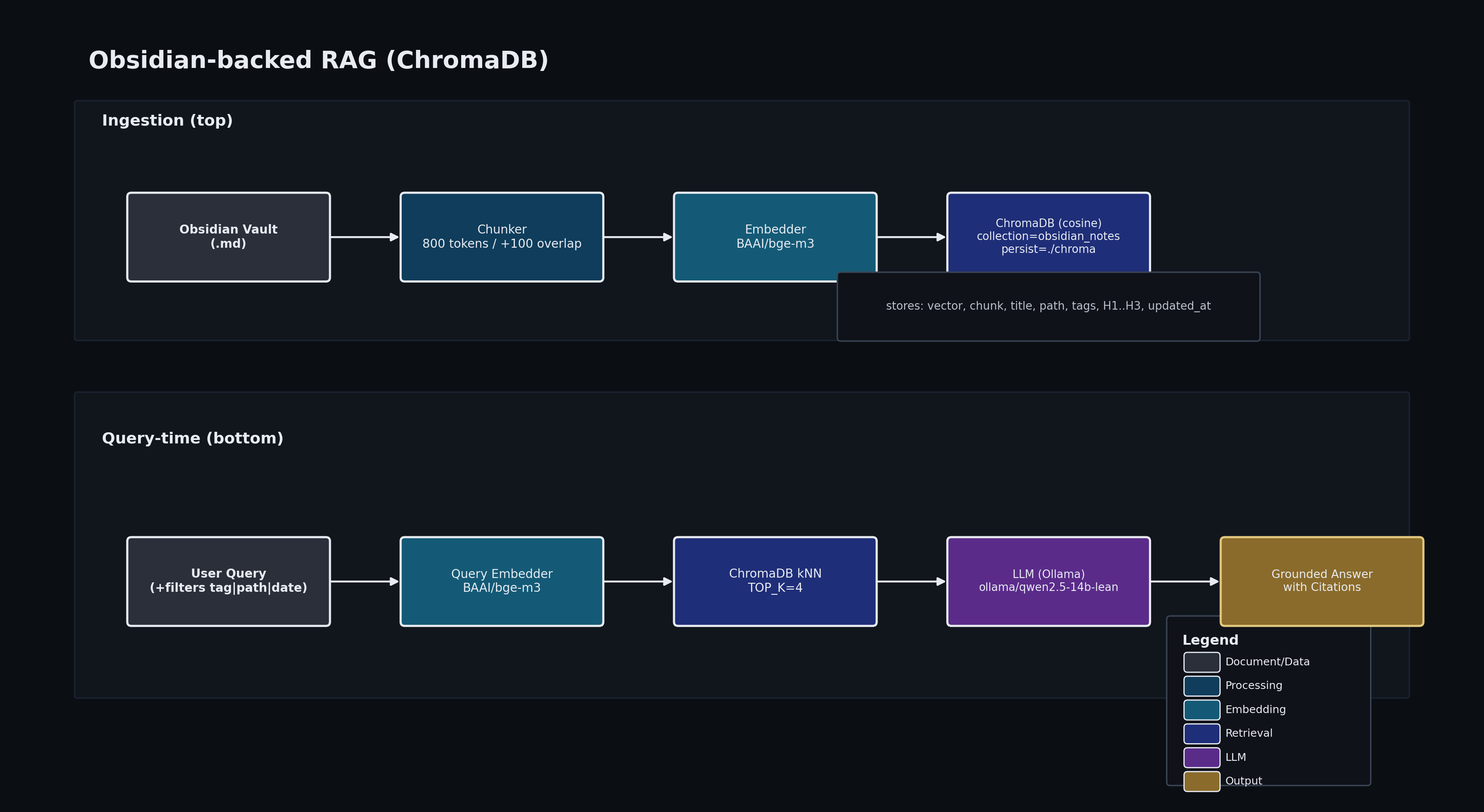
The main technology for doing this is Retrieval Augmented Generation, or RAG. At first, I tested a simple retrieval using ollama and OpenWebUI to check I can embed my notes and retrieve info from them well. Then I used that principle inside a CrewAI script. Here are a few notes and explanations about that process.
Using a knowledge base in OpenWebUI
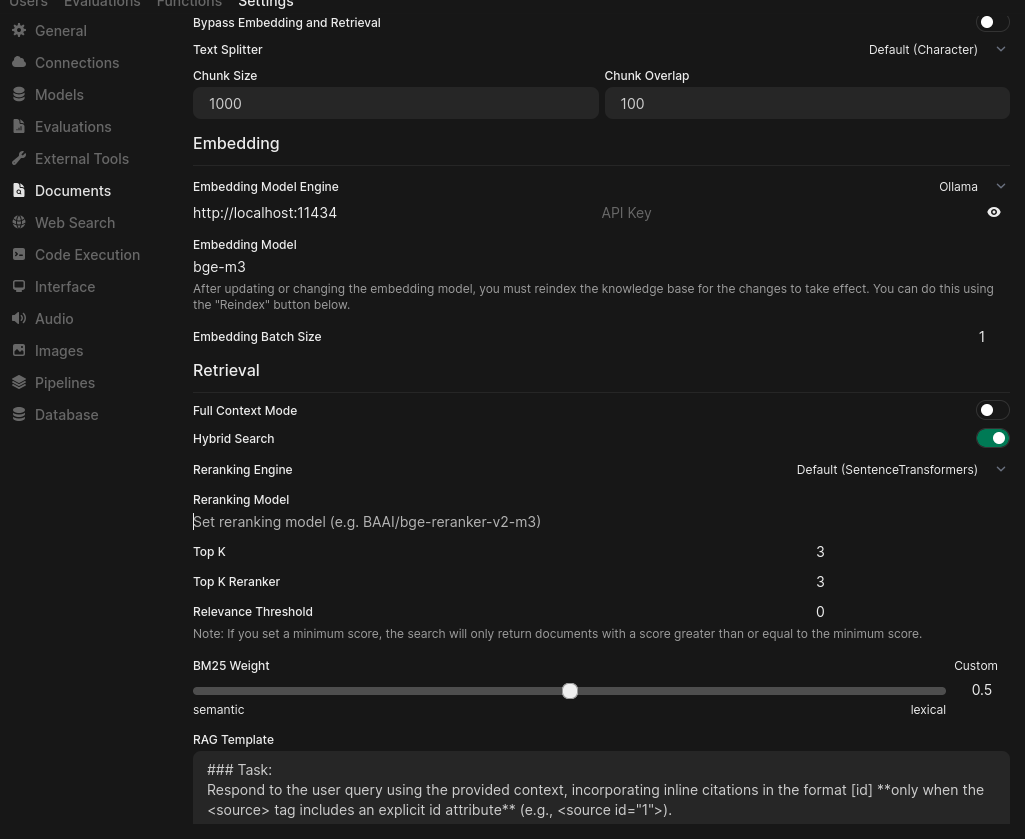
First of all, we need to transform disparate notes (dozens of plain text files in markdown) into something queryable. For this, we use an embedding model (in that case bge-m3:latest (1.2 GB), I also tried with nomic-embed-text:latest (274 MB)) that can convert text into a vector (a suite of coordinates in a representation space). Then looking for info becomes looking for the nearest texts that “look like” this info in that vector mapping space.
Each note is cut into 1000 character pieces, with a 100 character overlap, we keep the info about the initial note path to be able to give back a source path at query. Here what it looks like in the OpenWebUI Documents interface. In settings/documents you setup the RAG chunking options and embedding model.
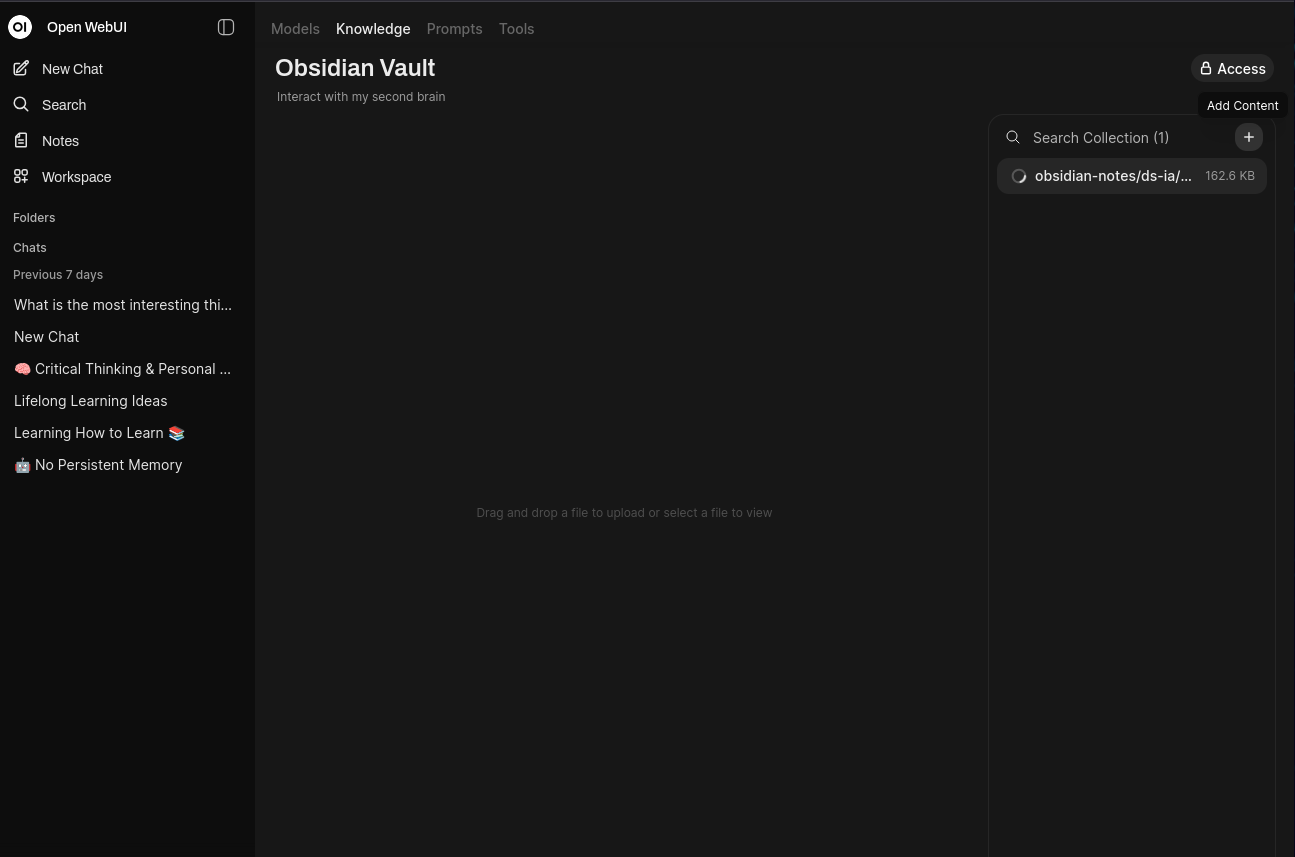
You can then create a knowledge base in the Workspace/Knowledge area in OpenWebUI:
This will take minutes, chunking and ingesting your documents into a usable vector database.
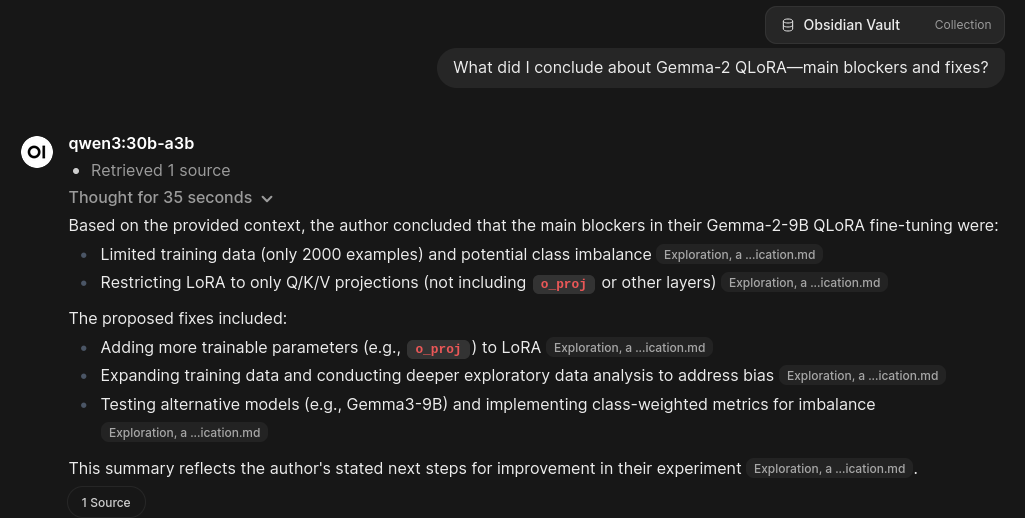
Once we have the database of vectorized chunks of texts, we are ready to query it. The user inputs a prompt, which is also vectorized using the same embedding model as during the database preparation. We retrieve chunks that are closest to the query text, pass them to the answering model (in the example below it’s qwen3:30b-a3b via ollama). And the answer is generated.
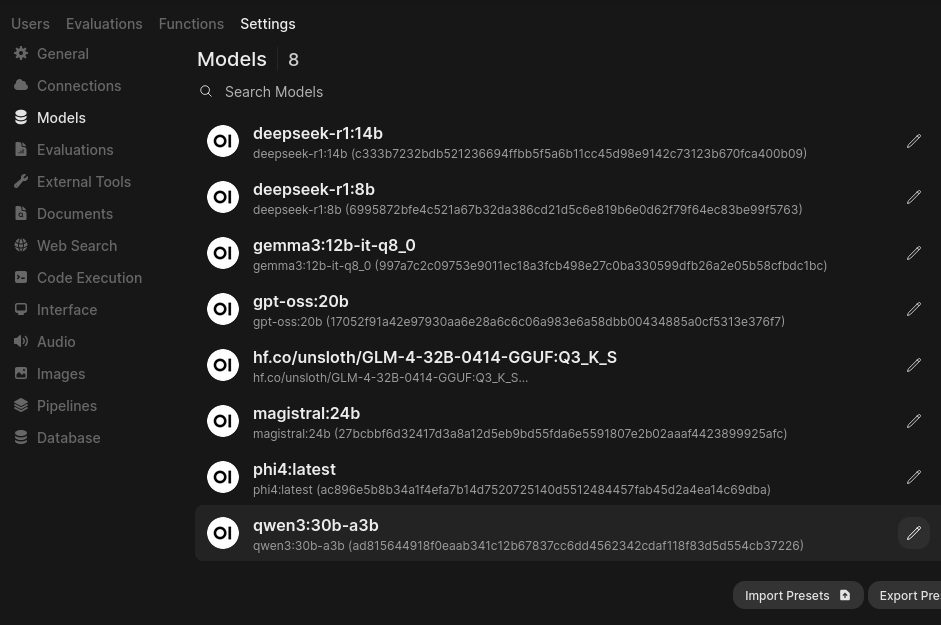
You can also make a custom model default in ollama directly :
# Modelfile_qwen3-16k
FROM qwen3:30b-a3b
PARAMETER num_ctx 16384
ollama create qwen3-30b-16k -f Modelfile_qwen3-16k creates a 16k context qwen3 ready to be ran directly.
Giving your AI council access to a knowledge database research
Here I used the ollama/qwen2.5-14b-lean , created from the non-reasoning qwen2.5 with 1M context found on ollama, because a non-thinking model seemed better for this usecase (less non-relevant text passed from an agent to another). Here is how to re-create it : write such a Modelfile :
FROM myaniu/qwen2.5-1m:14b
PARAMETER num_ctx 8192
PARAMETER num_batch 64
PARAMETER kv_cache_type q8_0
Use that Modelfile to create the parameterized model in ollama:
ollama create qwen2.5-14b-lean -f Modelfile_qwen2.5-1m-14b
ollama run qwen2.5-14b-lean --verbose
Instead of the full architecture of a CrewAI project as above, this time I used a python code calling CrewAI as a python package, and leveraging llama_index. Important libraries to use are visible in the imports:
from crewai import Agent, Task, Crew, LLM
from crewai.tools import BaseTool
import chromadb
from llama_index.core import VectorStoreIndex, SimpleDirectoryReader, Settings
from llama_index.embeddings.huggingface import HuggingFaceEmbedding
from llama_index.core.node_parser import SentenceSplitter
from llama_index.vector_stores.chroma import ChromaVectorStore
from llama_index.llms.ollama import Ollama
Here we create the vector store database and retriever :
Settings.embed_model = HuggingFaceEmbedding(model_name="BAAI/bge-m3")
Settings.node_parser = SentenceSplitter(chunk_size=1000, chunk_overlap=100)
Settings.llm = Ollama(model="qwen2.5-14b-lean", base_url="http://localhost:11434")
TOP_K=4
docs = SimpleDirectoryReader(
"./knowledge_base", required_exts=[".md", ".txt"], recursive=True, filename_as_id=True
).load_data()

client = chromadb.PersistentClient(path="./chroma_obsidian")
vs = ChromaVectorStore(chroma_collection=client.get_or_create_collection("obsidian_kb"))
index = VectorStoreIndex.from_documents(docs, vector_store=vs)
qe = index.as_query_engine(similarity_top_k=4)
retriever = index.as_retriever(similarity_top_k=4)
https://docs.crewai.com/en/concepts/tools : explains how to use CrewAI tools and create yours. Mine looks like this, uses llama_index´s ChromaVectorStore to search the database of chunks and return the top 4 in a concise answer ready-to-use by the agents.
class VaultSearchTool(BaseTool):
    name: str = "vault_search"
    description: str = "Semantic search over my Obsidian vault; returns concise snippets + file paths."

    def _run(self, query: str) -> str:
        """
        Expects a global `retriever` with a `.retrieve(query) -> List[Node]`
        and a global `TOP_K` integer limiting the number of results.
        Each Node should expose:
          - .metadata: dict (may contain 'file_path' or 'filename')
          - .node_id: str (fallback id)
          - .get_content(): str (raw text)
        """
        nodes: List = retriever.retrieve(query)
        if not nodes:
            return "ANSWER:\nNO_RESULTS\n\nSOURCES:\n"

        lines, cites = [], []
        for i, n in enumerate(nodes[:TOP_K], start=1):
            path = (
                (n.metadata or {}).get("file_path")
                or (n.metadata or {}).get("filename")
                or getattr(n, "node_id", f"node-{i}")
            )

            text = " ".join((n.get_content() or "").split())
            snippet = (text[:350] + "…") if len(text) > 350 else text

            lines.append(f"[{i}] {snippet}")
            cites.append(f"- [{i}] {path}")

        return "ANSWER:\n" + "\n".join(lines) + "\n\nSOURCES:\n" + "\n".join(cites)
Define your LLM:
	llm = LLM(model="ollama/qwen2.5-14b-lean",
	base_url="http://localhost:11434",
	max_tokens=1024,
	extra_body={"num_ctx": 16384},
	api_key="NA",
	temperature=0.2,
	timeout=180
	)
You can then create a researcher Agent in the script :
researcher = Agent(
	name="Researcher",
	role="Query the vault and collect evidence with citations.",
	goal="Use the tool to fetch precise chunks; keep only relevant facts.",
	backstory="A meticulous investigator skilled at retrieval over messy personal notes.",
	tools=[VaultSearchTool()], llm=llm, allow_delegation=False
	)
This agent has access to the task :
t2 = Task(
	description=(
		"You are given sub-queries"
		"For EACH sub-query line above (parse the leading numbers; do them in order):\n"
		"1) Call the tool `vault_search` exactly once for each sub-query string.\n"
		"2) If the tool returns 0 items, log `NO_RESULTS` for that sub-query and continue to the next subquery if it exists.\n"
		"3) At the end, append a single `SOURCES:` block by concatenating the tool SOURCES you got.\n"
		"Rules: Do NOT reformulate, refine, or repeat queries. Do NOT use general knowledge. "
		"Always process every numbered line you were given. If fewer than N tool calls have been made, you MUST continue calling the tool. Do NOT output Final Answer."
),
		agent=researcher,
		expected_output=("Bullets grounded ONLY in tool output + final SOURCES block."),
		context=[t1]
)
And you define your crew :
crew = Crew(agents=[planner, researcher, synthesizer], tasks=[t1, t2, t3], max_iter=3, verbose=True, memory=False)
And then the main call :
if __name__ == "__main__":
	user_goal = "What are pending todo tasks in these notes?"
	result = crew.kickoff(inputs={"goal": user_goal})
And you retrieving agents architecture is ready to go!
Hurdles and loops
I was quite hard to get the researcher agent to use the research tool the right number of times. It has a propensity to search only once, or to go into an infinite loop, searching the same query over and over. I know how to pass information from a step to the next with contextbut have tried without avail to parse this context in tasks. I did not want to fall into that rabbit hole, but it would merit spending a bit more time to understand what is feasible and how all this works.
To reduce hallucinations I try adding hard constraints to the model prompts (output NO_RESULT if no satisfactory chunk retrieved…) but it tended to interrupt the loop too quickly. Of course a solution would be to hardcode the loop on queries but I wanted to experiment with flexibility. Funnily, models can break out of the infinite loops this way. ![[Pasted image 20251024123021.png]]

Results
Takeaway : On my setup qwen2.5-14b-lean was the model which made the best agent. gemma3:12b-it-q8_0 was more unstable, prone to loops and cutting short the research. With qwen3-30b-16k the inherent thinking part of the model clashed with the CrewAI scaffolds and did not produce a stable run.
| Model | Outcome quality | Stability / loops | Interaction with CrewAI | GPU util | VRAM | Notes |
|---|---|---|---|---|---|---|
| qwen2.5-14b-lean | Best results | Stable; few loops; completes research | Plays nicely with CrewAI scaffolds | ~60% to max | ~9.7 GB to max | Preferred default |
| gemma3:12b-it-q8_0 | Mixed | More unstable; loops; sometimes cuts research short | OK but needs stricter rules | ~25% to max | ~11 GB to max | More prompt tweaking required |
| qwen3-30b-16k | Not usable here | - | Clashed with CrewAI scaffolds; couldn’t stabilize | - | - | Inherent “thinking/planning” conflicted with orchestration |
Limitations and next steps
I want to play around with Cline or similar tools some more. It seems the consensus is that models fitting on my hardware fall a bit short on reasoning capacity to be able to harness Cline’s power, though. But I am not prepared to bleed money into API calls. Seems ChatGPT Plus has a quota for calls as a coding agent through Codex, which I installed on VSCode too. I will let you know if I perform some interesting experiments with it.
Some local models I could try which are more specialized in coding and could yield better results are deepseek-coder-v2:latest (8.9GB on disk, context 160K), qwen2.5-coder:7b - 4.7GB (or 14b - 9.0GB, both 32K context), StarCoder2-15B (9.1GB, 16K context), codestral:22b (13GB, 32K context).
I have only started dipping my toes into agent work, and I am sure there are many optimizations I can make on the prompts and tasks given to my agents. Different more complex usecases involving retrieval would help estimating the efficiency of that retrieval - eg, taking excerpts from my notes, generating questions from them and checking if the correct notes are subsequently retrieved. I would like to understand MCP (model context protocol) at more than surface level.
Stay tuned for more agents fun!